
Artificial Intelligence (AI) image and video generation tools have improved massively, but one problem still frustrates creators — face changing again and again.
If you are tired of AI generating a different face every time, this guide (face identity lock prompt ai, face not changing ai image prompt, same face ai image generation, no face change prompt 2026, cinematic ai image same face) is exactly what you need.
In this article, you’ll learn how to lock face identity in AI tools using a 100% working prompt (2026 updated).
This guide is tested, practical, beginner-friendly, and used by real AI creators.
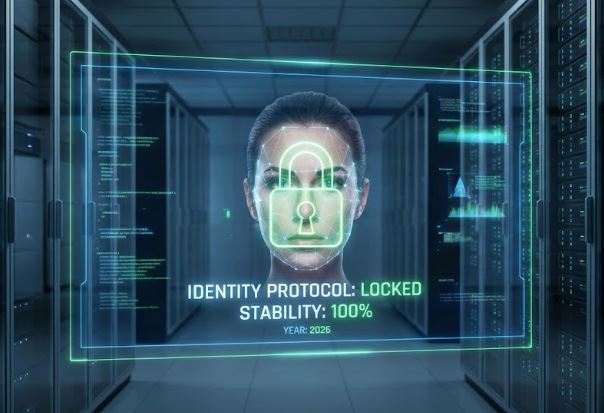
Why Does the Face Change Despite Using Face Identity Lock Prompts?
There are 3 main technical reasons why a face changes even when you use a Face Identity Lock Prompt and a Reference Image.
In simple terms, AI does not “remember” a face the way humans do. When you give it a new command (e.g., “Running in the rain”), it attempts to “blend” the pixels of the Reference Image with the new environment. During this process, the facial features often shift.
Here is the detailed Technical Breakdown:
1. Latent Space Entanglement (Entangled Features)
This is the most common cause. In the AI’s “brain” (Latent Space), “Identity” and “Style” are not completely separate concepts.
The Problem: When you include prompts like “Cinematic Lighting” or “Cyberpunk Style,” the AI does not just change the lighting. To the AI, “Cinematic” might also imply specific physical traits like a “Heroic Jawline” or “Sharp Eyes.”
The Result: The AI might unintentionally alter the “Soft” skin texture of your Reference Image to look “Rugged” to match the “Cinematic” prompt. This phenomenon is known as “Style Bleed.”
2. The “Hallucination” of Missing Angles
If your Reference Image is Front-Facing, but your prompt requests a “Side Profile,” the AI lacks the data for what that specific face looks like from the side.
The Technicality: AI does not possess a 3D model of the subject; it only analyzes 2D pixels.
The Result: When the AI cannot find data for the side angle, it uses its training data (millions of other people’s faces) to “hallucinate” (guess) the shape of the nose or cheek. This is the moment the output deviates from the “Original Character.”
3. Token Weight Conflict (Overpowering Words)
For AI models, Text Prompts often carry more weight (influence) than the Image Reference.
The Example: You provide a Reference Image of an ordinary-looking man, but your text prompt says, “Highly Detailed, Handsome man, 8k.”
The Problem: To the AI, the word “Handsome” has a specific definition (e.g., blue eyes, sharp nose). Consequently, it overrides the “ordinary” features of your Reference Image and replaces them with features from its internal “Handsome” database.
The Solution: Minimize the use of Adjectives. Instead of writing “Handsome” or “Beautiful,” focus solely on the Action, background and Location.
What Is Face Identity Lock in AI?
Face Identity Lock is a technique where an AI model is instructed to generate images or videos using the exact same facial identity every time.
How to Fix This? (Expert Solutions)
If you want a 100% Face Lock, relying on prompts alone is insufficient. You must adjust the following settings:
Adjective Removal: Remove descriptors like “Young,” “Old,” “Beautiful,” or “Sharp features” from your text prompt.
Wrong: “A beautiful woman running in a neon city.” (The word “Beautiful” will alter the face).
Right: “The subject running in a neon city.” (Using “The subject” forces the AI to prioritize the Reference Image).
Main Reasons AI Changes Faces
- Weak prompts (no identity instructions)
- Low-quality reference images
- Lighting and angle mismatch
- Over-stylized prompts
- Lack of negative prompts
- Video frame interpolation issues
Most creators blame the AI tools, but 90% of face change issues come from poor prompting.
AI Tools That Support Face Identity Lock (2026)
Not all AI tools handle face consistency properly. Here are the best ones:
| AI Tool | Face Lock Support | Best For |
| Midjourney | Medium | Image generation |
| Leonardo AI | High | Same face portraits |
| Stable Diffusion (SDXL + ControlNet) | Very High | Professional users |
| Gemini Veo | High | Image to video |
| Runway ML | Medium | Cinematic videos |
Face Identity Lock Prompt – 100% Working (2026)
This is a universal face identity lock prompt that works across most AI image tools.
Copy-Paste Face Identity Lock Prompt (for Image)
Use the uploaded image as the primary identity reference
Ultra-realistic portrait of the SAME PERSON,
face identity locked, exact facial structure preserved,
same jawline, same eye shape, same nose and lips,
no facial morphing, no face swap,
high facial similarity, identity consistency enabled,
trained strictly on the reference image,
same person across generations,
cinematic lighting, ultra-sharp focus, 8K realism
SAFE BACKUP PROMPT (Even if there is a 1% face change)
Use the uploaded image as the locked base image.
Lock face identity completely.
No face generation, no face enhancement.
Copy face pixel-to-pixel from reference image.
All effects apply only to background.
GEMINI – 100% FACE IDENTITY LOCK PROMPT
Use the uploaded image as the absolute and only reference for the person.
CRITICAL FACE LOCK RULE:
The face must remain 100% identical to the uploaded image.
Do NOT generate a new face.
Do NOT modify facial structure, skin tone, eyes, nose, lips, jawline, or expression.
Copy the face exactly as-is from the reference image.
FACE PROCESSING:
No beautification
No smoothing
No enhancement
No stylization
No symmetry correction
No AI reconstruction
STYLE APPLICATION RULE:
All cinematic, fantasy, lighting, magical, and artistic effects
must be applied ONLY to:
– background
– environment
– objects
– clothing
– lighting around the subject
DO NOT apply any style, lighting, or effects to the face area.
ABSOLUTE IDENTITY LOCK PROMPT
(ONLY Camera Angle & Background Change)
Prompt:
Use the uploaded image as the locked base image.
DO NOT change face, body, skin tone, facial features, expression, hairstyle, jewelry, pose, fabric, color, or proportions.
The person must remain 100% identical to the uploaded image.
This is a background and camera adjustment only, NOT a regeneration.
Face identity is LOCKED.
Body shape and posture are LOCKED.
Dress and accessories are LOCKED.
Negative Prompt (Most Important)
face change, different person, face swap,
altered facial features, new identity,
wrong face, distorted face, unrealistic face,
facial mutation, inconsistent identity
Face Identity Lock JSON Prompt (For Video AI)
If you are using image-to-video AI tools, use this JSON structure.
{
“identity_lock”: true,
“face_reference_strength”: 0.95,
“face_consistency”: “strict”,
“facial_similarity”: “maximum”,
“no_face_morph”: true,
“camera_angle”: “eye_level”,
“lighting”: “same_as_reference”,
“emotion_lock”: true
}
Advanced Face Lock JSON Prompt
{
“identity_lock”: true,
“face_reference_strength”: 0.97,
“face_consistency”: “ultra_strict”,
“facial_similarity”: “maximum”,
“no_face_morph”: true,
“expression_lock”: true,
“emotion_lock”: “neutral”,
“camera_angle_lock”: “eye_level”,
“lighting_lock”: true,
“frame_identity_propagation”: true
}
Cinematic Full-Body Shot Prompt (Same Face Guarantee)
Wide cinematic full-body shot of the SAME PERSON,
face identity locked and preserved with high similarity,
facial features identical to the reference image,
no facial distortion or identity drift,
same person across all generations,
natural body proportions,
eye-level camera, controlled lighting,
cinematic color tones, film grain texture,
movie still quality, ultra-realistic rendering
Image-to-Video Cinematic Face Identity Lock Prompt
You can use this Prompt in a Reels, Shorts, cinematic AI videos.
Cinematic video sequence of the SAME PERSON,
face identity locked across all frames,
exact facial likeness preserved from reference image,
no face morphing or identity change,
facial consistency enabled with strict parameters,
same facial proportions, same expression (locked),
smooth natural head movement,
cinematic lighting continuity,
film-grade color correction,
realistic motion blur, movie-level realism
This video prompt will be useful for making the faces in all your videos look 100% original.
NEGATIVE PROMPT (VERY IMPORTANT)
There are some important words that, when used, can have an effect on one’s facial identity.
face change, face regeneration, new face, beautified face, AI face, symmetry correction, body change, slim body, dress change, color change, pose change, hand movement, facial expression change, skin smoothing, makeup enhancement, hairstyle change, new person, artistic style, painting, illustration, fantasy
How to Use Reference Images Correctly
Best Practices:
- Front-facing image
- High resolution
- Neutral expression
- Natural lighting
- No filters
- Use clean, sharp portraits
- No sunglasses or masks
- Avoid side angles and low-quality selfies
How to Lock Face Identity in Image-to-Video AI
Follow these steps:
- Upload the same reference image
- Lock camera angle (eye level)
- Avoid changing emotions
- Keep lighting consistent
- Use identity strength between 0.85 – 0.95
- Use the JSON prompt above
This method works best with Gemini Veo, Runway ML, leonardo ai, and Stable Diffusion video pipelines.
Pro Tips for Perfect Face Consistency
- Repeat phrases like “same person” in prompt
- Keep hairstyle consistent
- Mention facial anatomy explicitly
- Lock emotion and expression
- Avoid “fantasy” keywords initially
- Use high facial similarity values
Frequently Asked Questions (FAQ)
Q1. Is Face Identity Lock Really 100% Possible?
Yes — with limitations.
Q2. Can AI keep the same face forever?
Yes, as long as reference image, lighting, and prompt remain consistent.
Q3. Is face identity lock available in free tools?
Partially. Paid tools give better result
Q4. Why does face change more in videos?
Because videos generate faces frame-by-frame, increasing variation risk.
Q5. Which AI tool is best for face identity lock?
Stable Diffusion with ControlNet offers the best control.
Also Read: New Year Photo Editing Prompt
Final Word
The face changes because the AI either values your text description more than your reference photo, or it makes an error while calculating new angles from limited data. Face identity lock is not magic — it’s smart prompt engineering + correct reference usage.
Using the prompts and methods in this guide, you can achieve near-perfect face consistency in 2026.
If you’re serious about AI image or video creation, this technique is essential.