
AI has completely transformed how creators edit videos. Whether you’re a YouTuber, a digital marketer, Video content creator, a student, or someone who wants fast professional-looking videos, AI tools for video editing free are becoming essential.
As someone who has been working in video content creation and digital marketing for over 10 years, I have used almost every AI video editing tool that has come to the market—from powerful desktop software to lightweight browser-based tools, It can be used well on mobile as well.
I’ll show you the best free AI video editing tools, how they work, what features stand out, and which ones you should use depending on your goals.
Why AI Video Editing Tools Are Game Changers
As a content creator, I know editing can be:
-
Time-consuming
-
Technically difficult
-
Overwhelming for beginners
-
Laptop/Desktop slows down
-
Repetitive (cutting silence, adding captions, removing background noise reduction)
AI tools reduce 60–70% of this workload.
Modern AI tools for video editing free can:
-
Auto-trim mistakes
-
Remove silence
-
Add captions automatically
-
Clean background noise
-
Change background
-
Generate videos from scripts
-
Use AI to detect scenes
-
Auto-select best clips
-
Improve lighting and color
This means instead of spending 4 hours on a video, you can finish it in under 40 minutes.
Top 10 Best AI Tools for Video Editing (Completely Free Versions Included)
(Ordered based on my real-world usage & performance tests)
1. CapCut — The Best Free AI Video Editor (Overall Winner)
Best for: YouTubers, Instagram Reels, TikTok Creators
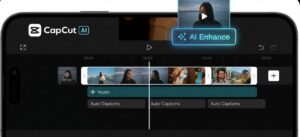
CapCut is hands-down the best free AI video editing tool. I use CapCut daily for short-form content because it offers professional features at zero cost.
Key Features:
-
Auto captions with 95% accuracy
-
AI remove background
-
Face enhancement
-
Auto beat sync for music
-
AI templates for reels/shorts
-
One-click cut, trim, silence removal
-
Free stock footage & music
Why I recommend it:
Even big creators use CapCut because it allows high-quality edits fast. The AI captions alone can save hours.
2. InVideo AI — Text to Video AI Tool (Incredible for Beginners)
Best for: Creating videos from scripts instantly
InVideo AI lets you create a complete video just by typing a script. Perfect for faceless YouTube channels.
AI Features:
-
Text-to-video creation
-
Auto voiceover (realistic AI voices)
-
Automatically adds clips & transitions
-
Intelligent scene detection
-
AI auto-edit tools
Why I love it:
You can make a full YouTube video within 3 minutes. Great for news, tutorials, and slideshow-style videos.

3. Descript — AI Video Editing with Text (Game Changer for Podcasters)
Best for: Talking-head videos, podcasts, interview videos
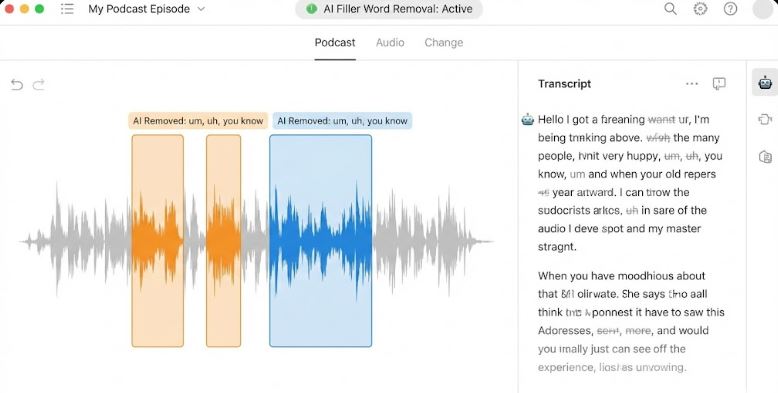
Descript uses AI to edit video like editing a document.
Top AI Features:
-
Edit video by deleting text
-
Remove filler words automatically
-
Remove ums, ahs, gaps
-
Overdub AI voice cloning
-
Auto-caption
-
Studio sound enhancement
Why it’s useful:
Descript is essential if you record podcasts or training videos. It saves hours by auto-cleaning speech.
4. VEED.io — Best for Social Media Creators
Best for: Reels, TikTok, Shorts
VEED is one of the easiest AI tools for video editing free with stylish templates.
AI Features:
-
AI auto subtitles
-
Noise reduction
-
Auto background removal
-
Script-to-video
-
Eye-contact correction
Why I Recommend It:
The templates make your videos look instantly professional without editing skills.
📸 Image Placeholder
Prompt: “Colorful video templates in VEED interface with auto subtitle panel and timeline.”
5. Adobe Express (Free AI Tools by Adobe)
Best for: Professional branding videos
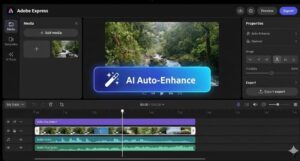
Adobe Express includes free AI editing tools backed by Adobe’s powerful engine.
Features:
-
AI video trim
-
AI remove background
-
Auto color & lighting fix
-
Free templates
-
Brand kits
Professionals love Adobe tools, and this one is surprisingly beginner-friendly.
6. Clipchamp (Microsoft) — Best for Windows Users
Best for: Office workers, beginners, educators
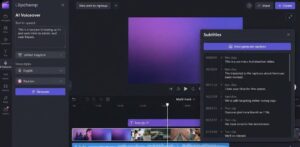
Clipchamp is now built into Windows and offers impressive AI tools.
AI Features:
-
Auto captions
-
AI voiceover
-
Auto-clip selection
-
Background removal
-
Quick templates
Why It’s Great:
If you have a Windows laptop, Clipchamp is fast and integrated deeply into the system.
7. Runway ML — Advanced AI Visual Effects (Hollywood Style)
Best for: AI creators, advanced editors
If you want futuristic effects, Runway is unmatched.
AI Features:
-
AI green screen
-
Motion tracking
-
Scene generation
-
Auto object removal
-
Text-to-video generation
Why It’s Unique:
Runway offers features that were once only available to big-budget studios.
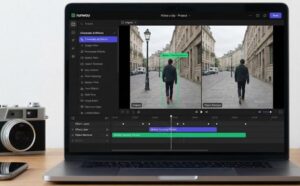
8. FlexClip — Simple & Free Online AI Video Maker
Best for: Business promos, slideshows, ads
FlexClip is powerful yet simple.
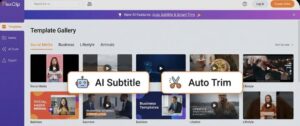
AI Features:
-
Auto subtitle
-
One-click video enhance
-
Text-to-video
-
AI trim & compress
-
Free templates
9. Lumen5 — AI Social Media Video Maker
Best for: Bloggers, brands, social media managers
Lumen5 turns text and blog posts into animated videos.
AI Features:
-
Blog-to-video conversion
-
Auto scene selection
-
Auto transitions
-
Stock AI media

10. Wisecut — AI Auto Cut & Silence Remover
Best for: Talking head YouTube videos
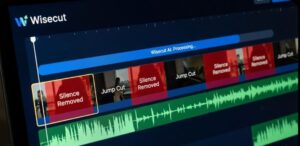
Wisecut uses AI to:
-
Remove silence
-
Auto jump-cut
-
Auto background music
-
Auto subtitles
This is perfect for educational or talking videos.
Which AI Video Editor Should You Use? (Expert Recommendation)
As someone who edits 200+ videos yearly, here’s my recommendation:
| Goal | Best Free AI Tool |
|---|---|
| Reels, TikTok, Shorts | CapCut / VEED |
| YouTube long videos | Descript / Clipchamp |
| Faceless videos | InVideo AI / Lumen5 |
| AI effects | Runway ML |
| Business videos | FlexClip / Adobe Express |
How AI Tools Help You Improve Video Quality
1. Faster Editing
Manual editing takes hours. AI trims errors instantly.
2. Auto Captioning
Video with subtitles gets 40% more watch time.
3. Better Engagement
AI templates improve storytelling.
4. No Expensive Software Needed
Most tools here offer free forever plans.
Final Verdict: AI Tools Are the Future of Editing
AI video editing is not a trend — it’s the future.
These free tools let creators, marketers, students, and businesses produce high-quality videos without hiring editors or learning complex software.
If you’re serious about growing on YouTube, Instagram, or marketing online, mastering these AI tools for video editing free will give you a massive advantage.
Also read –8 Best Free AI Writing Tools in 2026
FAQ — AI Tools for Video Editing Free
1. Are AI video editing tools really free?
Yes. Tools like CapCut, VEED, Clipchamp, and FlexClip offer free versions with enough features for beginners.
2. Which free AI tool is best for beginners?
CapCut and Clipchamp are easiest for new users.
3. Can AI completely edit videos automatically?
Tools like InVideo AI and Lumen5 can create full videos from scripts or blogs.
4. What is the best AI tool for YouTube editing?
Descript (for talking videos) and CapCut (for shorts) are the best.
5. Is AI video editing good for social media?
Absolutely. AI captions, reels templates, and effects boost engagement instantly.