
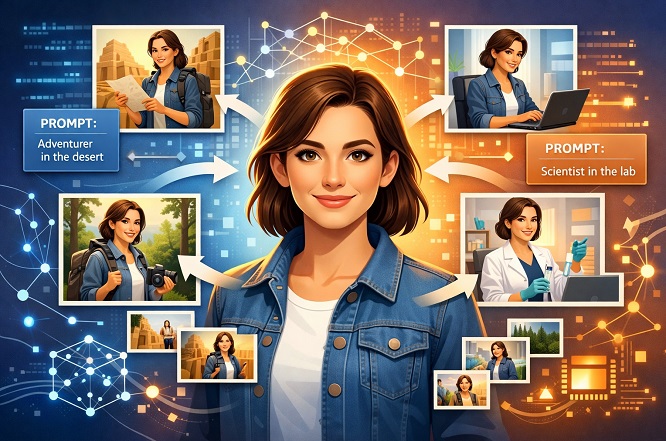
Maintaining character consistency in AI Gemini Nano Banana is a bit tricky because it doesn’t currently have a direct Character Reference feature (seed feature) like Midjourney or Leonardo AI. But this doesn’t mean that Google Gemini Nano Banana can’t have character consistency (100% Lock). Character consistent can be achieved in Gemini by using some specific prompt engineering techniques.
The biggest problem for many content creators is maintaining the same character when generating images or videos. In Gemini, you can’t lock a character 100% with a single button press, unlike in Leonardo. In Gemini, every time you provide a prompt, the AI starts from scratch, unless you explicitly instruct it to use the previous context.
But don’t worry. Even without a Seed option in Gemini Nano Banana, we can achieve up to 100% consistency by using Prompt Engineering and Contextual Memory.
How to Maintain the Same Character Consistency in Gemini
To fix this missing seed number issue in Gemini, you will need to use these three advanced techniques, which are described below.
Step 1: The Master Description Block (most important)
To generate images of the same character in different scenes using Gemini, we need to lock the character description. You’ll need to create a paragraph describing your character that remains constant. This paragraph must be copied and pasted at the beginning of every prompt.
Common mistakes people make with Gemini:
Image 1: A boy in a blue jacket is sitting.
Image 2: The same boy standing. (Here, the AI will be confused about what “same” means.)
The correct approach (The Master Block): First, generate your character using Gemini, exactly as you want it. Avoid generic terms.
Poor prompting: “A handsome young man with a beard.” (A different beard and face will appear each time).
Master Description Block: “A detailed portrait graphy of Anuj, a 28-year-old Indian man with a short boxed beard, tousled black wavy hair, a small scar on his left eyebrow, wearing a worn-out yellow leather jacket over a blue t-shirt.”
The red part in the prompts is our Master Description Block. This needs to be copied and pasted exactly as is every time. We will only change the action, camera angle, and location. The AI will continue to generate the same character.
Step 2: Using the same chat
Gemini’s greatest strength is its conversational memory. When you stay in the same chat session, it remembers previous interactions. Therefore, if you want Gemini to maintain the same character, you must remain in the same chat session.
Generate the first image: Provide your master Description Block.
“Generate an image of [Master Description Block]. He is sitting in a restaurant smiling.”
Similarly, by providing a Master Block for all images, you can create pictures with the same character but with changes in background, location, and camera angle.
Fix the prompt structure.
To maintain character consistency, you need to keep your prompt writing style consistent. Follow this formula:
[Master Character Block] + [Current Action] + [Background/Location] + [Fixed Art Style]
Method-2: Image-to-image loop (the most reliable method)
This is currently the best way to achieve consistency in Gemini. We won’t just use text prompts, but also the images it generates itself as a reference.
Step 1 : (Creating a base image): First, use a prompt to generate a picture.
Step 2: Download the picture you like to your computer/phone.
Step 3: Upload the saved picture. Prompt: “Based on the character in this image, generate a new photo where she is running in a park. Keep her facial features exactly the same (face identity 100% original).”
Also Read: Face Identity Lock Prompt: 100% Working
Why this might work: You’re not just asking the AI to imagine something from text alone, but you’re giving it a visual map that says, “I want the same face.”
Unique Identifiers Method
If we can’t control the entire face, then we’ll have to add some very specific things that the AI will be forced to replicate every time.
Instead of just writing “beautiful girl,” add something very unusual or specific:
- Example 1 (Hair color): with dark curly hair that has a distinct streak of blue dye on the left side.
- Example 2 (glasses): wearing large, round, red-framed glasses.
- Example 3 (Tattoo/Mark): She has a small star-shaped tattoo on her neck while sitting in a cafe.
Why this might work: When you introduce a very unique feature, the AI focuses its attention on it. In an attempt to preserve that feature, it tries to keep the rest of the face largely the same.
My Recommendation:
Try “Method 1 (Image Upload) first; I use it myself. It’s a bit more work because you’ll have to download and upload repeatedly, but it’s currently the most accurate method in Gemini Nano Banana.
If you have created images with a consistent character (Gemini (Nano Banana) for each scene using Gemini, you can then convert them into a video using Google VEO 3.