
If you are looking for truly free AI video generator without watermark, Make Professional AI Videos Free – 100% No Watermark then this post is for you.
In the last few years, AI video generation tools have become an everyday tool for today’s top creators, marketers, bloggers, and solopreneurs. As someone who has worked directly with AI tools for video content creation, social media growth, and marketing, I can say one thing with complete confidence:
Most AI Generated platforms promise “free,” but silently inject branding, limit exports, or damage resolution. This article cuts through the noise.
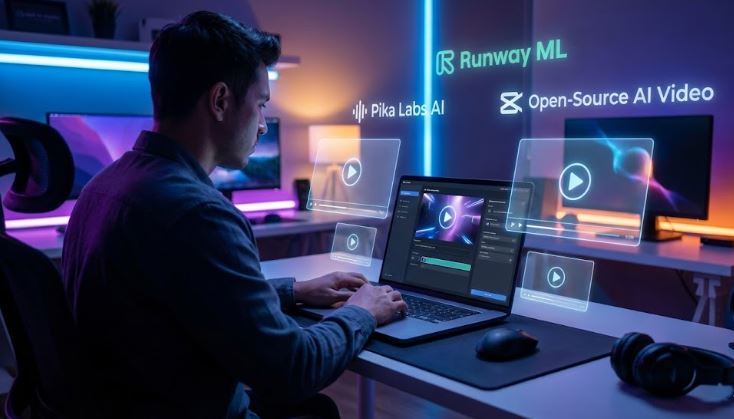
What Is a Free AI Video Generator Without Watermark?
A free AI video generator without watermark is a platform that allows users to: Create videos using artificial intelligence (AI), Export the final video without any brand text, logo, or platform watermark, Use the video for personal, educational, or even commercial purposes (in some cases)
However, no watermark is the real win—because a watermark instantly kills professionalism and ad-approval chances for your channel.
Why Watermark-Free AI Videos Matter (From Real Experience)
From an digital content creator and marketing standpoint, watermark-free videos:
- Increase brand trust
- Improve ad approval rate (Meta & Google Ads)
- Boost engagement metrics on Shorts & Reels Videos
- Look professional on landing pages
That’s why this post—free AI video generator without watermark—is important for you.
Best Free AI Video Generators Without Watermark (2026)
I have personally tested all the video generator AI tools listed below by creating videos with each of them (without watermarks or logos). These are truly usable tools, not just theoretical suggestions.
1. Pika Labs (Free Tier – No Watermark)
Best for: Cinematic AI videos, motion scenes
Key Features:
- Text-to-video generation
- Image-to-Video / Animation from Stills
- Smooth motion interpolation
- Discord-based workflow
- No watermark on free exports
- Talking Faces & Lip-Sync
2. Runway ML (Limited Free – No Watermark)
Best for: Content creators, Filmmakers, marketers
Key Features:
- Text-to-video & image-to-video
- AI motion brush
- Background removal (green screen without actual green)
- No watermark in free exports (limited credits)
- Color grading and VFX enhancements
- mage Editing & Generation
Limitations:
- Credit-based system
- Short video duration
3. CapCut AI
Best for: fast, easy, and smart video editing and content creation for YouTube, tiktok Shorts & Instagram Reels
Key Features:
- AI auto captions
- Script-to-video
- Stock footage AI match
- Automated Video Editing (Save Time & Effort)
- No watermark (manual export settings)
Hidden Trick: Always log in with email
Not the Best For…
- Deep professional desktop editing
- Cinema-grade long films
4. Open-Source AI Video Generators (Advanced Users)
If you are technically inclined and known as an advanced creator, then open-source AI video is the best option for you.
Key Features
- 100% watermark-free
- Full creative control
- Multimodal Support – Accepts text (T2V), images (I2V), and existing video (V2V) as inputs.
- High-Quality Output – Controls for resolution, frame rate, and visual fidelity.
- Customizable & Extensible – Fully open code/models you can tweak and fine-tune.
- Scene & Motion Control – Manage transitions, pacing, and camera movement logic.
- Post-Processing Tools – Built-in upscaling, denoising, and editing enhancements.
Cons:
- Requires GPU
- Setup complexity
FAQs – Free AI Video Generator Without Watermark
Q1. Are free AI video generators really watermark-free?
Yes, but usually with usage limits or credits.
Q2. Which is best for beginners?
CapCut AI is the easiest.
Q3. Do watermark-free videos rank better on social media?
Yes, they improve engagement and trust.
Q4. Can I use these videos commercially?
Some tools allow it—always check license terms.
Q5. Is AI video generation legal?
Yes, if you follow content and copyright guidelines.
Also Read
Best AI Image Generators for Social Media
Final Word
If you’re serious about creating video content in 2026, a free AI video generator without a watermark is no longer optional – it’s essential.
Based on my professional experience, start with CapCut AI, experiment with Pika Labs, and scale with Runway ML.
Use AI strategically, ethically, and creatively – and your content will outperform traditional videos.